Appointments#
FlightPath can provide advisors with a calendar for viewing and managing advising appointments.
The availability of appointment features depends on your institution’s configuration.
Viewing Your Appointments#
Select Appointments from the FlightPath navigation to open your appointment calendar.
The calendar provides an overview of your scheduled meetings with students. You can navigate between dates and view appointments for a particular day.
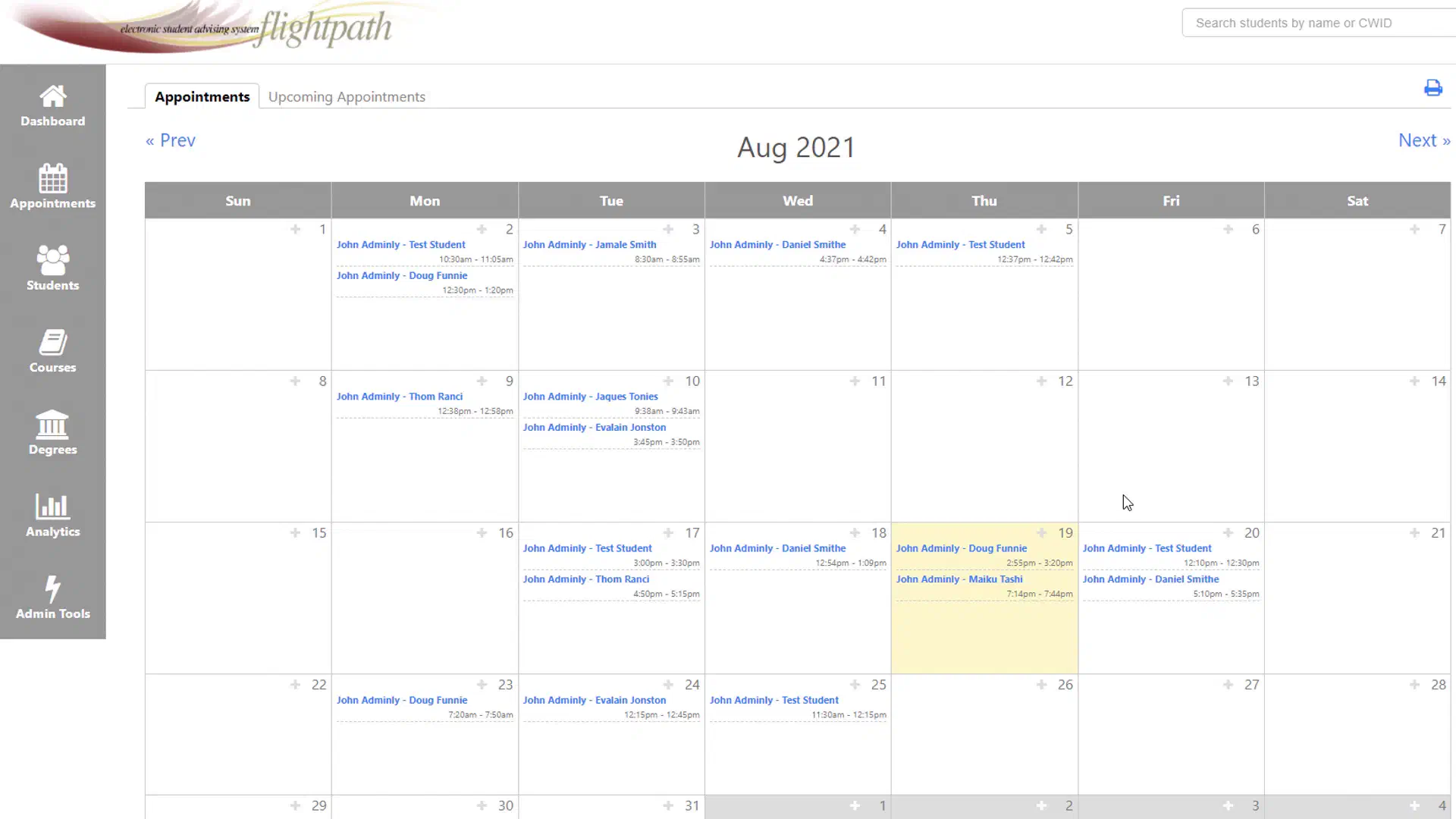
Selecting an appointment opens additional information about the meeting.
Student-Created Appointments#
If your institution has configured this feature, students will be able to schedule appointments with you through their version of FlightPath.
FlightPath can view your work and/or personal calendar, to make sure events do not overlap.
Watch this video for a complete demonstration of how to set up student-scheduled appointments:
Video on appointments & scheduling
Appointment Details#
An appointment can include information such as:
- Advisor
- Student
- Date and time
- Duration
- Appointment type (video or in-person)
- Message or comments
- Other meeting information
If your institution has configured FlightPath to integrate with Zoom or Microsoft Teams, the appointment may also include a meeting link. See below for information on video meetings.
Appointment Notes#
Appointment details may include notes or comments entered when the appointment was created.
Review these details before meeting with a student when they are available.
Creating or Managing Appointments#
Depending on your institution’s configuration and your permissions, you may be able to create, edit, or otherwise manage appointments.
The specific options available to you may differ from those shown in training materials because institutions can configure appointment functionality differently.
Video Meetings#
If your institution has configured FlightPath to automatically create video meetings, you can select a video meeting provider when creating an appointment type.
FlightPath supports:
- Zoom
- Microsoft Teams
When a video meeting is created, FlightPath automatically adds the meeting link to the appointment and includes it in the notification sent to the student and advisor.
Your institution may require administrator approval
Depending on your institution’s Microsoft 365 or Zoom security settings, your administrator may need to approve the “FlightPath Academics” app before you can connect your account.
If you are unable to connect your account because administrator approval is required, or you see a message stating “Need admin approval”, contact your institution’s Microsoft 365/Entra or Zoom administrator and ask them to approve FlightPath Academics.