Comments#
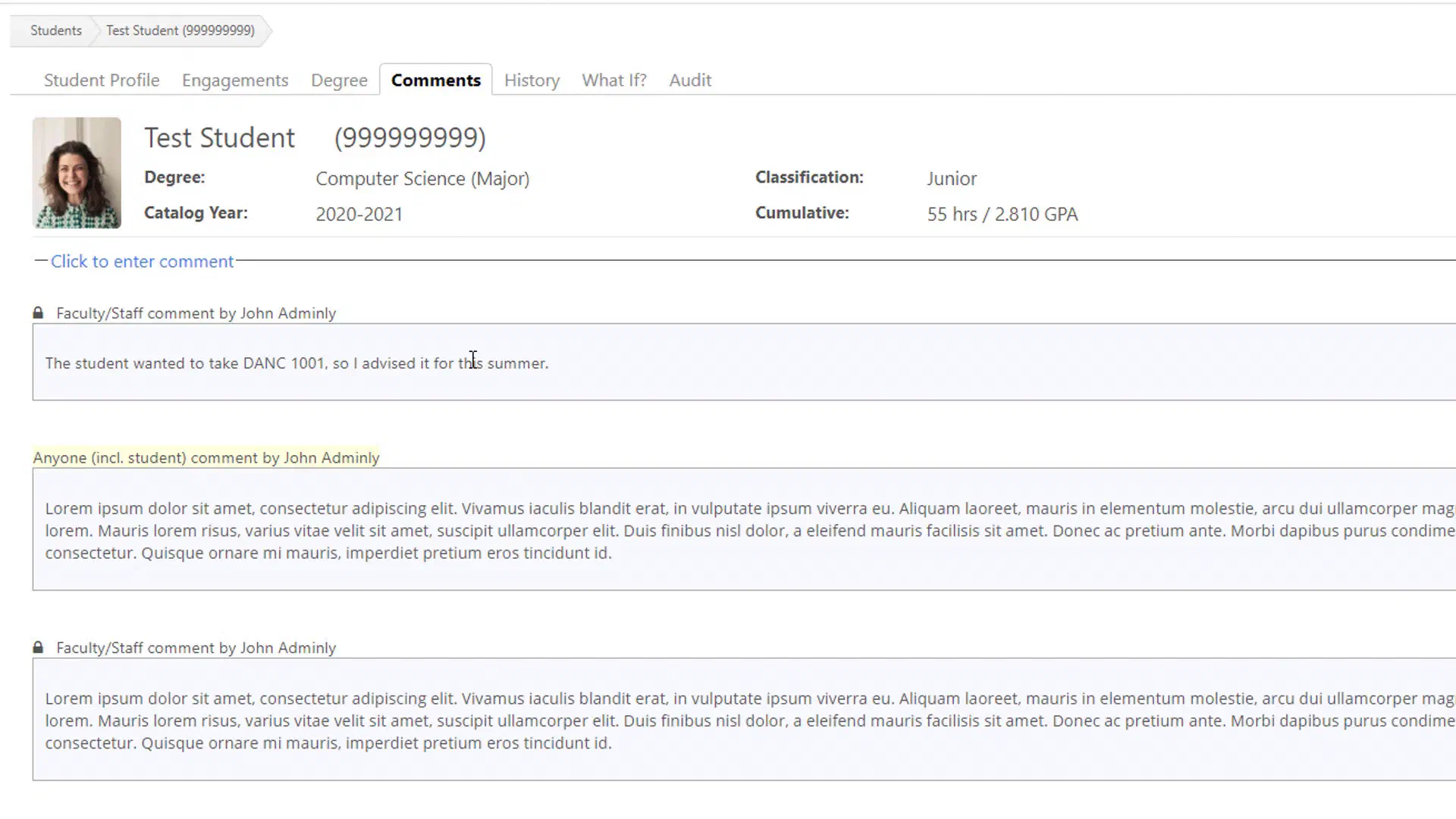
The Comments screen allows authorized faculty and staff to record information about a student.
Comments can be useful for documenting advising conversations, recommendations, concerns, or other information that may be relevant to future interactions with the student.
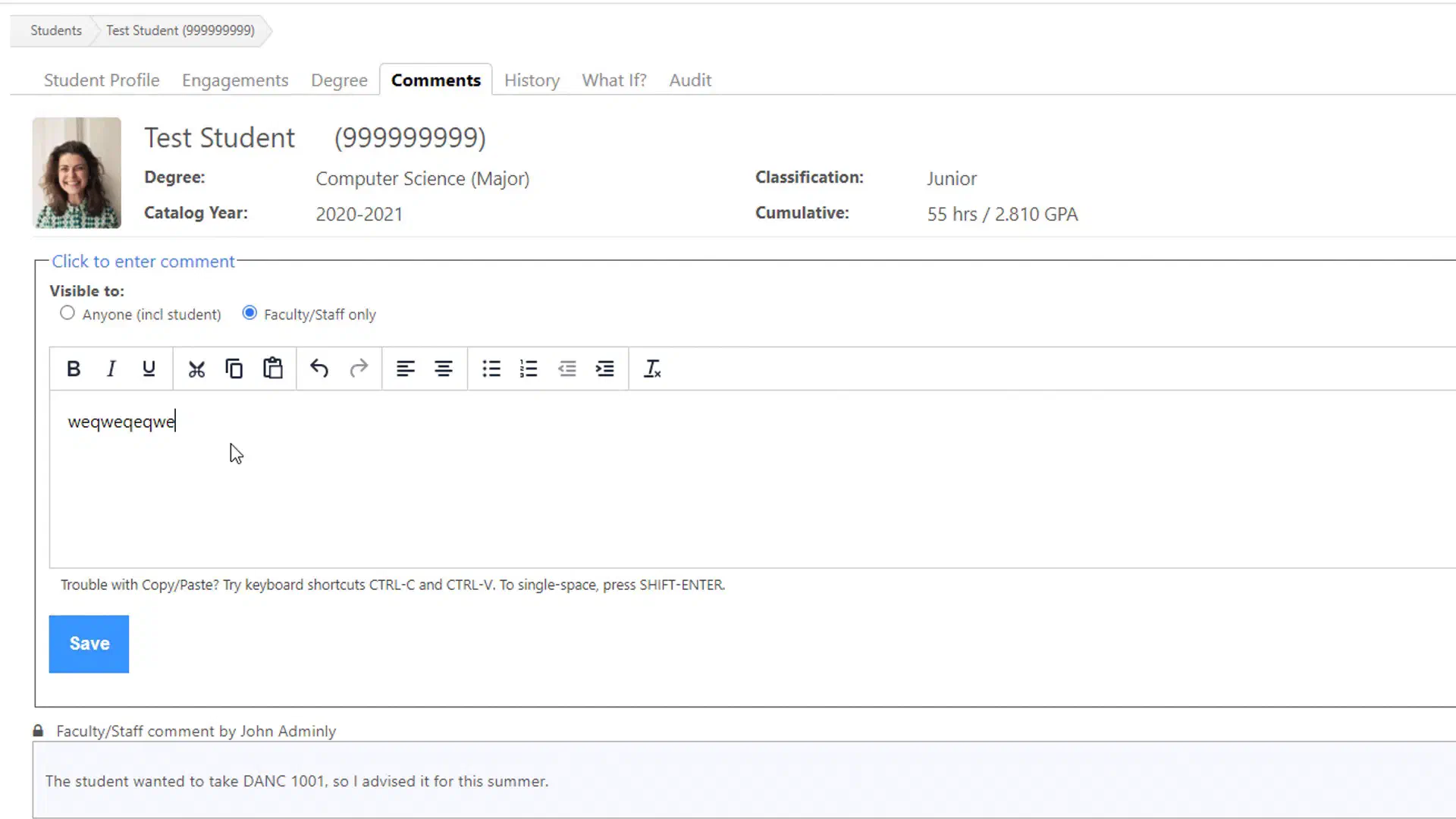
When adding a comment, FlightPath allows you to specify who can see the comment: Faculty/Staff only, or “Anyone”, meaning the student can also see the comment. It does not mean the comment is public or visible to other students.
Adding a Comment#
To add a comment:
- Select Click to enter comment.
- Enter the information you want to record.
- Select the appropriate visibility or access setting.
- Save the comment.
Comments that have already been entered for the student can be reviewed from the same area.
Writing Useful Comments#
Comments should provide useful information to other faculty and staff who may work with the student in the future.
When appropriate, include:
- The reason for the advising interaction
- Important topics discussed
- Recommendations made to the student
- Follow-up actions
- Information that another advisor may need to know
Student Privacy#
Remember that student comments become part of the student’s record and may be visible to other authorized users.
Follow your institution’s policies regarding student privacy and the appropriate use of student information. Do not include information that is unnecessary for advising or that should not be stored in the student’s record.