Advisor Overview#
When you log in to FlightPath as an advisor, you will see the advisor dashboard. The dashboard provides an overview of your advising activity and gives you quick access to students and other frequently used features.
Advisor Demonstration Video#
The video below provides an overview of the advisor experience in FlightPath. It demonstrates the major areas of the system, including the advisor dashboard, appointments, advisee list, student profiles, degree plans, advising history, comments, and the What-If feature.
Advisor Dashboard#
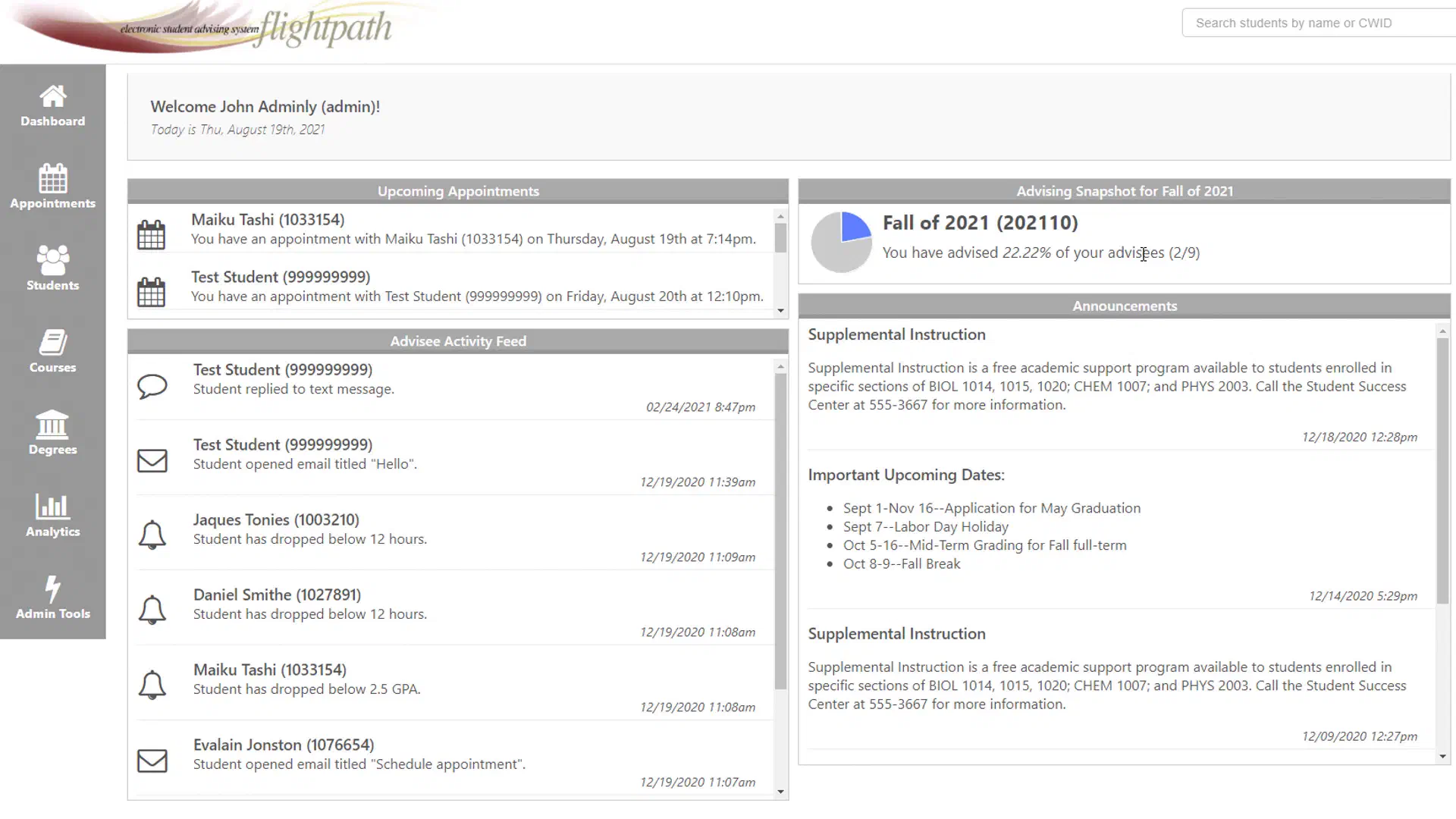
The dashboard may include several types of information, depending on how FlightPath is configured at your institution.
Common areas include:
- Your upcoming appointments
- Students you advise
- Advising activity and progress
- Announcements
- Student alerts and other notifications
- Other information provided by your institution
The navigation on the left side of the screen provides access to the main areas of FlightPath.
Upcoming Appointments#
Your dashboard can display upcoming appointments with students. Selecting an appointment provides additional information about the meeting, such as the student, date and time, and any notes or comments associated with the appointment.
See Appointments for more information.
Advising Activity#
The dashboard can also provide an overview of your advising activity for a particular term. This can help you quickly see how many of your advisees you have worked with during the current advising period.
Student Alerts and Announcements#
FlightPath may display notifications related to your students. These can include alerts generated by the system as well as other announcements or information provided by your institution.
Examples of student activity that may generate an alert include:
- A student dropping below a specified number of credit hours
- A student falling below a specified GPA
- A student opening an email
- A student responding to a message
- Other conditions configured by your institution
The specific alerts you see depend on your institution’s FlightPath configuration.
Accessing Student Information#
The primary tools for working with individual students are available through the student search and your advisee list.
See Finding Students to learn how to locate students and open their student profiles.