Student Profile#
The student profile brings together information about an individual student’s academic progress and advising activity.
After selecting a student, you can use the tabs across the top of the profile to access different types of information.
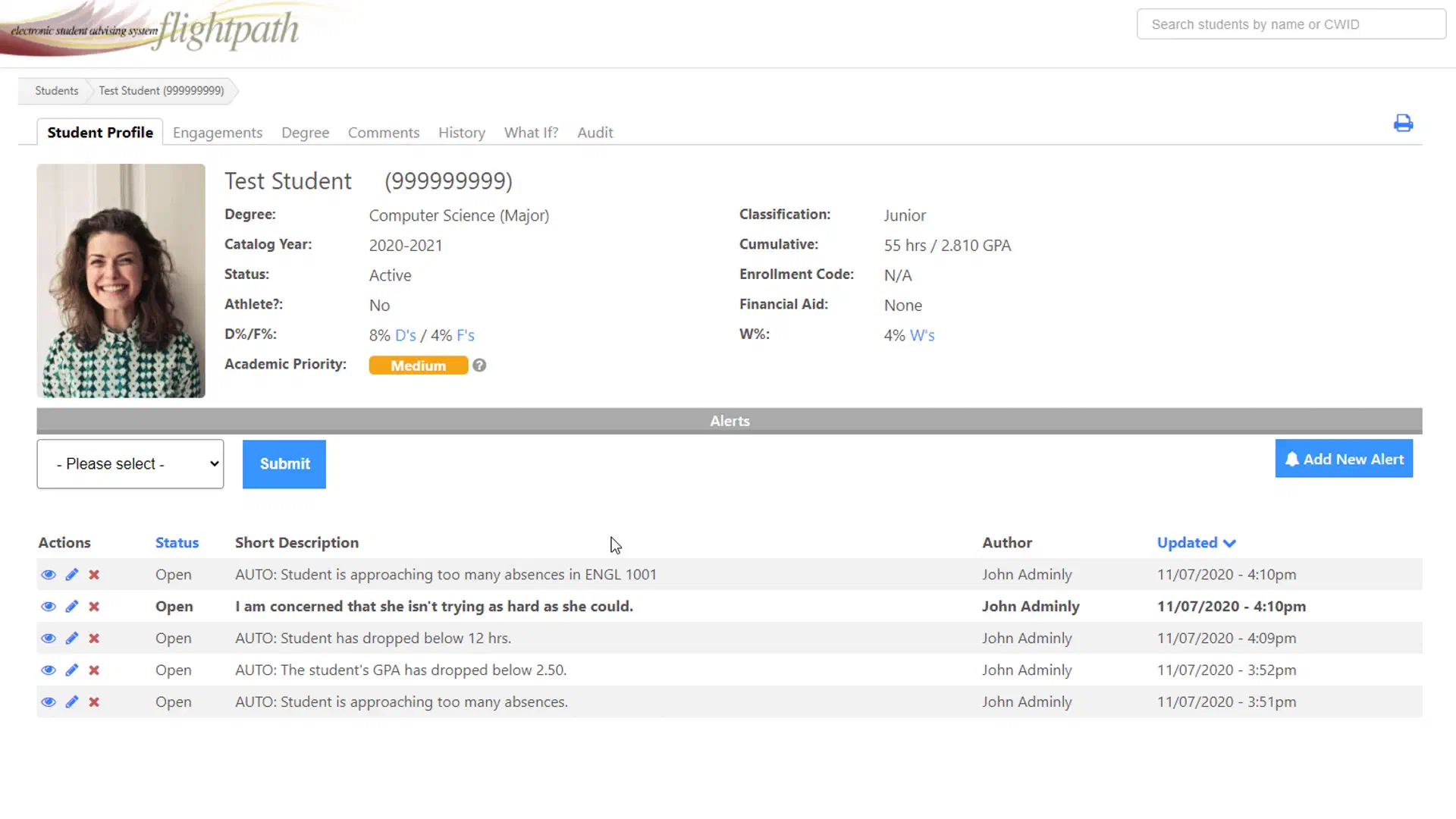
Student Information#
The top of the student profile displays basic information about the student, which may include:
- Name
- Campus ID
- Degree or major
- Classification
- Catalog year
- Cumulative credit hours
- Cumulative GPA
- Enrollment information
- Financial aid information
The exact information displayed depends on your institution’s configuration and the data available to FlightPath.
Academic Priority#
Academic Priority is a FlightPath feature that can help identify students who may benefit from additional attention or intervention.
The factors used to calculate Academic Priority are configured by your institution. They may include information such as GPA, grades, credit hours, or other academic indicators.
Academic Priority should be used as a tool to help prioritize advising attention rather than as a replacement for professional judgment.
Early Alerts#
This screen also displays any early alerts, or alerts manually entered by faculty or members of staff with the appropriate permissions. For automated alerts, data may be pulled from your campus SIS or LMS, depending on your configuration.