What If?: Exploring a Different Major#
The What If? feature allows advisors to explore how a student’s degree progress could change if the student pursued a different academic program.
This can be useful when a student is considering changing majors or exploring another degree option.
Opening What If#
Open the student’s profile and select What If? Next, select one (or more) degrees and click “Try it Out”.
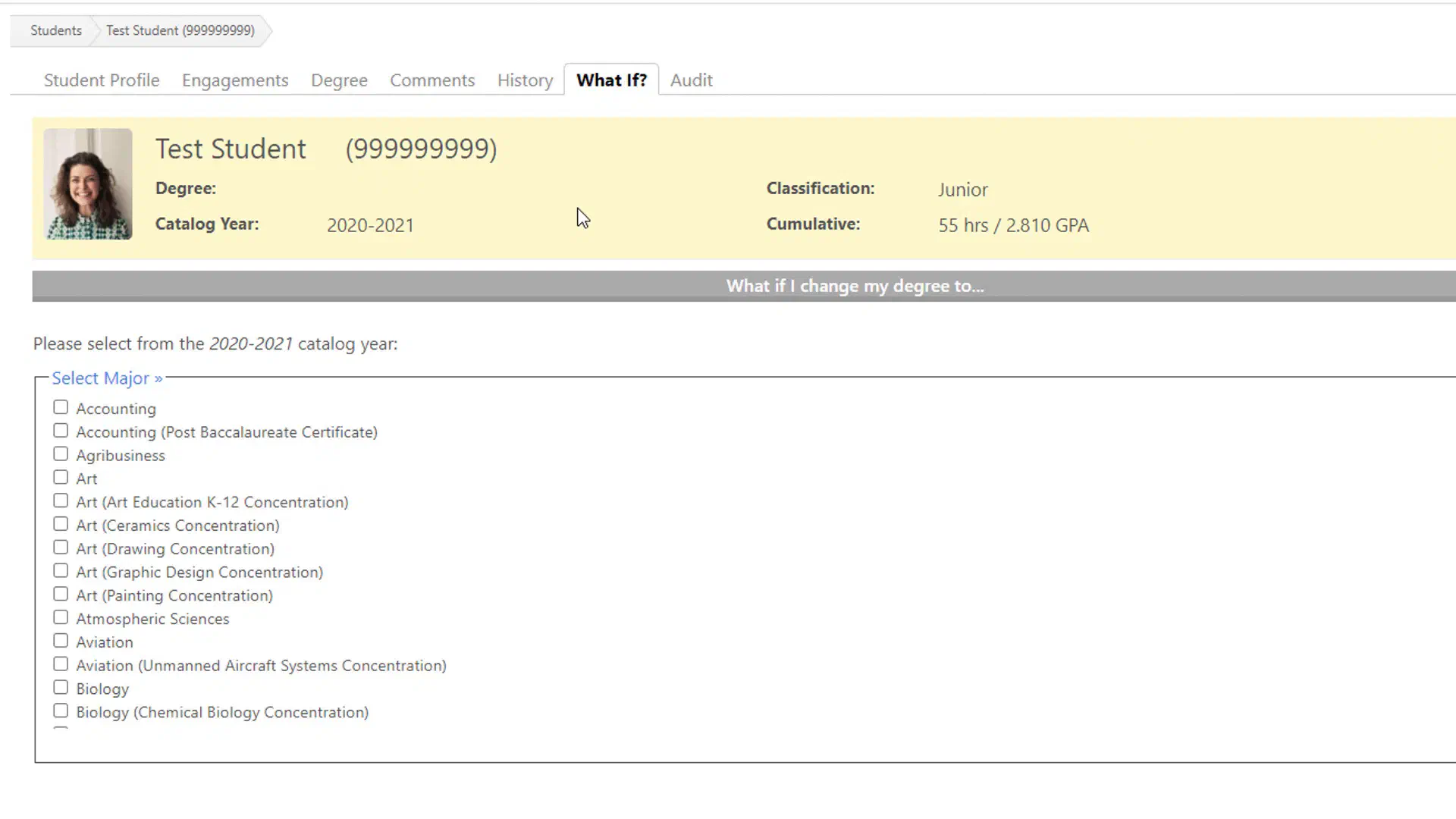
FlightPath will think for a moment, then display a new degree plan with the student’s credits filling in, as if they had changed majors.
The student’s actual degree is not changed by viewing What-If.
Reviewing the Results#
The What-If screen provides many of the same types of information as the student’s regular degree plan.
- Overall degree progress
- Major requirements
- Completed courses
- Courses currently in progress
- Remaining requirements
- Course substitutions
- Transfer credit
- Other degree-specific requirements
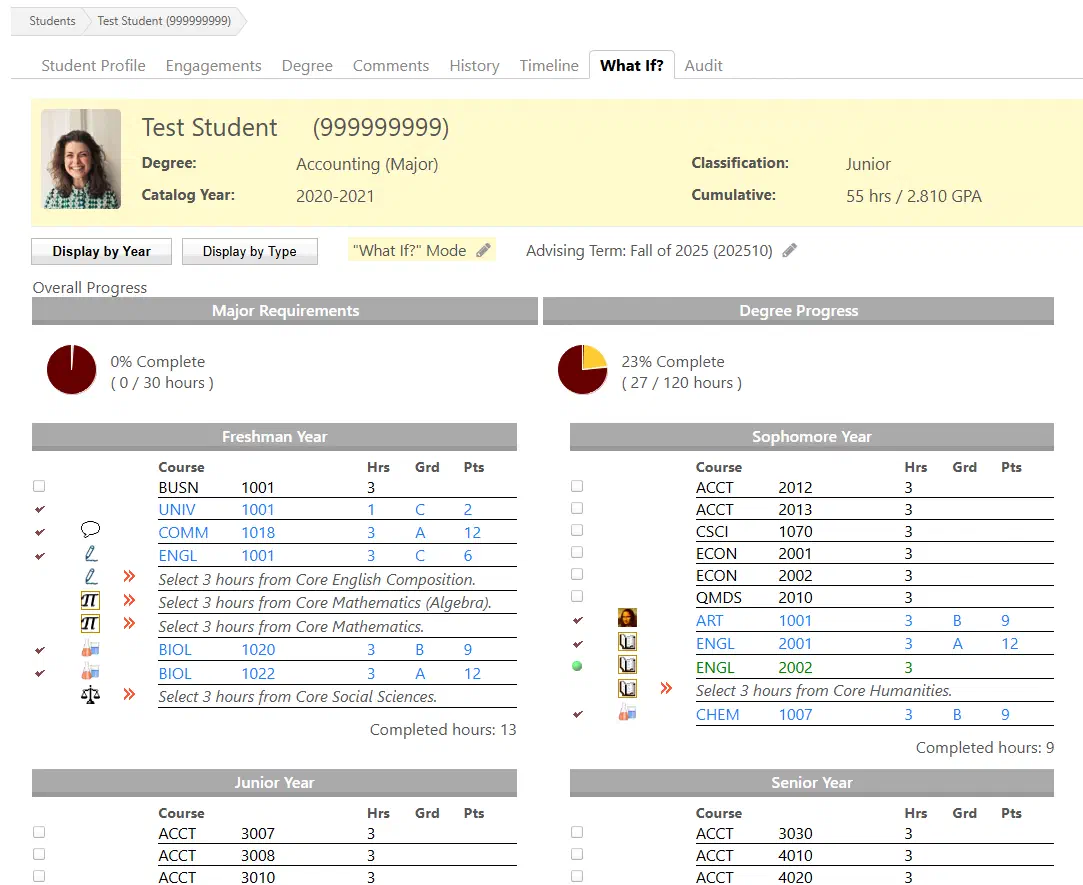
Advising in What If Mode#
Just like the regular student degree plan, advisors are able to submit advising sessions while using the What If screen. This is especially useful if you know the student intends to change majors, or if the student has already changed majors but their selection isn’t being reflected yet.
Advisings in What If mode will not affect selections made in the student’s normal degree plan.